
: A Comprehensive Guide for Artists](https://file-host.link/website/madverse-mh5kyw/assets/refined-images/1781777542673000_e8f5b5ab90ed4d1a8d421434463b2923/1080.webp)
Introduction
Independent artists can now access Dolby Atmos spatial audio—a format that was previously available only to major-label artists with substantial production budgets. Apple Music, Tidal, and Amazon Music have integrated Dolby Atmos libraries, with Apple offering spatial audio to all subscribers at no additional cost. Yet many independent artists struggle with a critical question: is the investment in creating and distributing Dolby Atmos mixes worth it for your release strategy?
This guide explains Dolby Atmos music distribution from an artist's perspective. You'll learn:
- What Dolby Atmos is and how to create spatial audio mixes
- Distribution options and platform-specific requirements
- Actual costs involved and strategic considerations
- Whether spatial audio makes sense for your music
Key Takeaways
- Dolby Atmos positions sounds in 3D space using object-based audio for immersive listening
- Major platforms supporting Atmos: Apple Music, Tidal, Amazon Music Unlimited (Deezer has limited support)
- Production requires compatible DAWs (Logic Pro, Pro Tools, Nuendo) plus Dolby Atmos Renderer
- Per-track costs: ₹1,250-₹2,000; subscription services often include Atmos at no extra charge
What Is Dolby Atmos Distribution and Why It Matters
Dolby Atmos music distribution is the process of creating, formatting, and delivering immersive 3D audio files to streaming platforms that support spatial audio playback.
Unlike traditional stereo that uses left-right channels, Atmos employs object-based audio technology that positions individual sounds in three-dimensional space—including height—creating an enveloping listening experience.
How Atmos Differs From Stereo
Traditional stereo places audio on a horizontal plane between left and right speakers. Atmos treats each sound element as an independent "object" with metadata describing its position in 3D space. When a listener plays an Atmos track, their device renders these objects based on their specific playback setup—whether that's headphones, a soundbar, or a full speaker array.
Benefits for Artists
The format offers three distinct advantages:
- Enhanced listener engagement - Immersive audio creates memorable listening experiences that can increase track retention and replays
- Platform-specific marketing opportunities - Apple Music displays a "Dolby Atmos" badge on album pages, Tidal features curated Atmos playlists, and Amazon offers "Best of Dolby Atmos" collections
- Market differentiation - As Apple Music makes spatial audio available to all subscribers, Atmos releases signal production quality and forward-thinking artistry
Why Major Artists Are Investing in Atmos
Major labels and established artists are prioritizing Atmos releases because streaming platforms actively promote the format through dedicated editorial placements and algorithmic recommendations.
For independent artists, this creates both opportunity and pressure—early adoption can provide visibility advantages, but the format requires upfront investment without guaranteed returns.
The potential audience is substantial. Compatible devices include:
- iPhone XS and later models
- iPad Pro (3rd generation and newer)
- MacBooks from 2018 onwards
- View complete device list
While exact adoption percentages remain proprietary, the device ecosystem continues expanding as older hardware cycles out.
How Dolby Atmos Distribution Works
The end-to-end process involves five distinct phases: creating the Atmos mix, mastering to specifications, encoding to ADM BWF format, uploading to your distributor, and final delivery to streaming platforms. Each phase has specific technical requirements that must be met to avoid rejection.
What Goes Into the Process
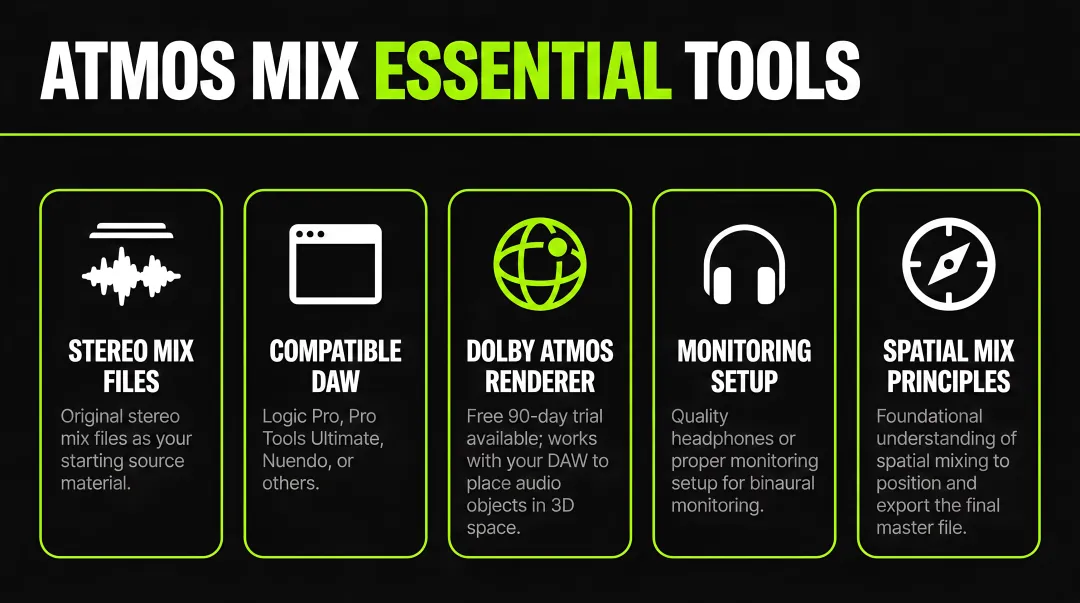
Before starting your Atmos mix, gather these essential tools:
- Original stereo mix files
- Compatible DAW (Logic Pro, Pro Tools Ultimate, Nuendo, or others)
- Dolby Atmos Renderer (free 90-day trial available)
- Quality headphones or proper monitoring setup for binaural monitoring
- Foundational understanding of spatial mixing principles
The Renderer works with your DAW to position audio objects in 3D space and export the final master file.
Step 1: Creating the Dolby Atmos Mix
Creating an Atmos mix requires remixing your track from scratch—it's not simply adding effects to your stereo master. Compatible DAWs include Logic Pro (v10.7+), Pro Tools Ultimate, Nuendo, Cubase, and Studio One 6. Ableton Live requires the Dolby Atmos Music Panner plug-in.
During mixing, you'll position individual audio objects in 3D space rather than panning them left-right. Vocals might sit center and slightly elevated, backing vocals could surround the listener, and instrumental elements can be placed at various heights and distances.
The Dolby Atmos Renderer allows binaural monitoring through headphones, simulating the immersive experience without requiring a full speaker array.
Step 2: Mastering and File Preparation
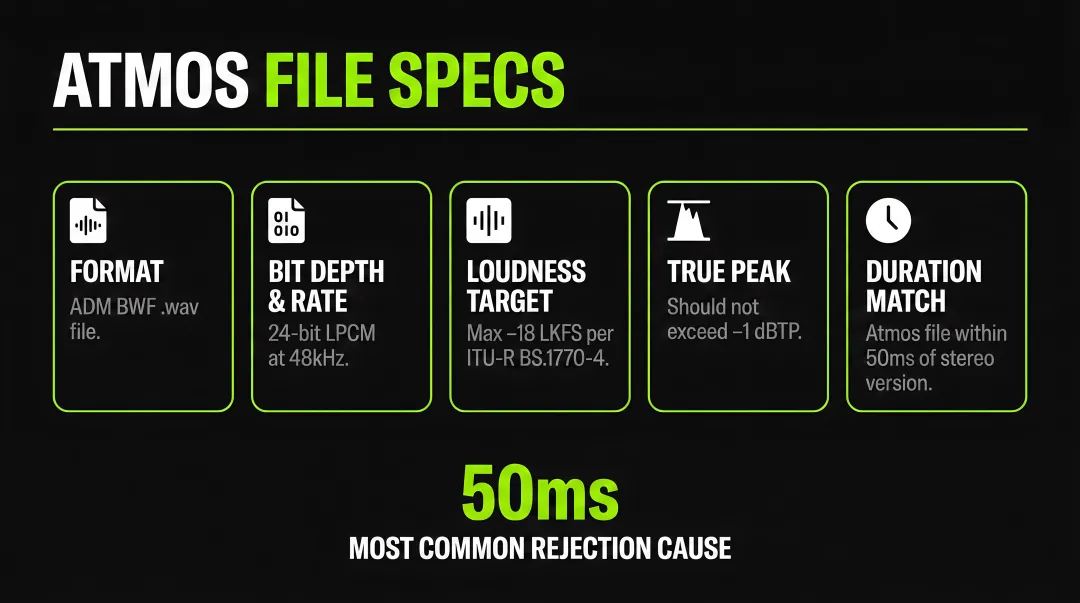
Your final Atmos file must meet these mandatory technical specifications:
- Format: ADM BWF (Audio Definition Model Broadcast Wave Format) .wav file
- Sample rate and bit depth: 24-bit LPCM audio at 48kHz
- Loudness target: Should not exceed -18 LKFS (measured per ITU-R BS.1770-4)
- True peak: Should not exceed -1 dBTP
- Duration matching: The Atmos file must match your stereo version within 50 milliseconds—this is the most common rejection cause
The 50ms duration rule means your Atmos and stereo masters must be rendered from identical session timelines.
Adding or removing silence at the beginning or end will trigger automatic rejection during platform quality control.
Step 3: Uploading to Your Distributor
Not all distributors support Atmos delivery. When uploading, you'll submit both your stereo and Atmos files, ensure ISRC codes match between versions (they must be identical), and pay any applicable per-track fees. Some distributors like DistroKid require simultaneous upload of both versions—you cannot add Atmos to an existing release after the fact.
Step 4: Platform Delivery and Quality Control
Distributors deliver to platforms including Apple Music, Tidal, and Amazon Music Unlimited. Each platform performs automated quality control checks verifying file format, duration matching, loudness compliance, and proper metadata. UnitedMasters advises a minimum 3-week lead time for Atmos releases due to additional review requirements—plan your release calendar accordingly.
Choosing the Right Dolby Atmos Distributor
Selecting a distributor requires evaluating five key factors: annual subscription cost, per-track Atmos fees, platform reach (which DSPs receive your Atmos files), upload process complexity, and additional promotional tools.
Pricing models vary dramatically, making cost comparison essential for artists with multiple releases.
Distributor Pricing Comparison
| Distributor | Atmos Pricing Model | Cost | Platforms Delivered | Key Notes |
|---|---|---|---|---|
| DistroKid | Per-Track Fee | ₹2,000/track | Apple Music, Tidal, Amazon | Cannot add Atmos after upload |
| TuneCore | Per-Track Fee | ₹1,250/track | Apple Music | New releases only |
| Symphonic | Per-Track Fee | ₹1,850/track | Apple Music, Tidal, Amazon, Deezer | Fee deducted from royalties |
| AvidPlay | Annual Subscription | ₹3,700/year (unlimited) | Apple Music, Tidal, Amazon | Up to 3 artists included |
| Madverse | Included in Subscription | ₹2,600/year (Star plan) | Apple Music, Tidal, Amazon | 95% royalty retention |
These pricing differences compound quickly depending on your release schedule.
Cost Analysis by Release Scenario
Single track over 3 years:
- TuneCore: ₹1,250 (one-time)
- Madverse Star: ₹7,800 (₹2,600 × 3 years)
- DistroKid: ₹2,000 (one-time)
5-track EP over 3 years:
- TuneCore: ₹6,250
- AvidPlay: ₹11,100
- Madverse Star: ₹7,800 (unlimited tracks)
10-track album over 3 years:
- TuneCore: ₹12,500
- DistroKid: ₹20,000
- Madverse Star: ₹7,800 (unlimited tracks)
Madverse's Dolby Atmos Distribution
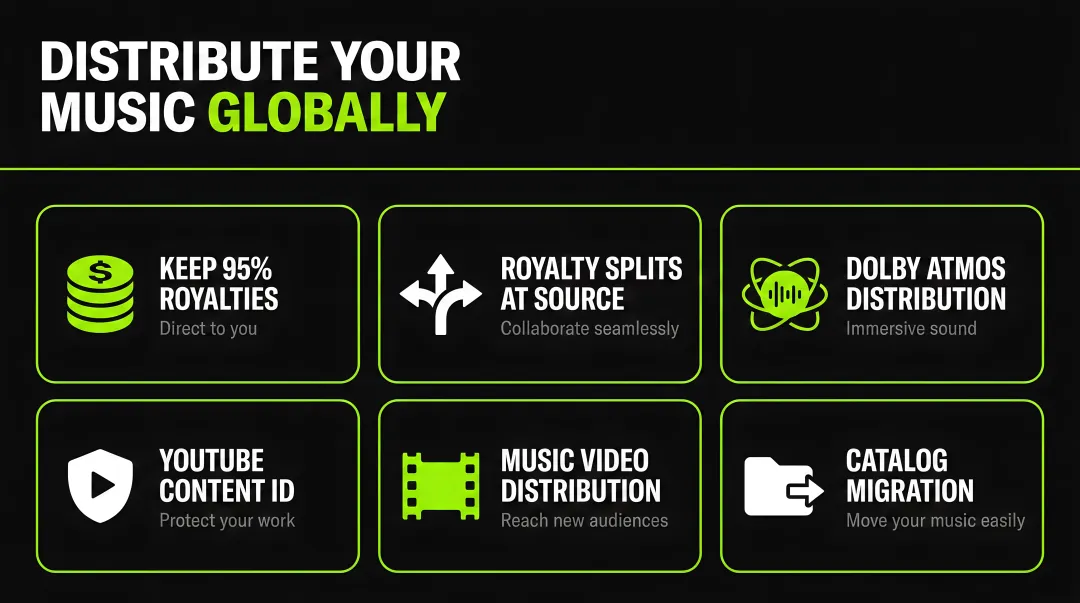
Madverse includes Dolby Atmos distribution in their Star plan (₹2,600/year) and Label plan (₹7,400/year) with no per-track fees. Artists retain 95% of royalties and gain access to unlimited Atmos releases, editorial playlist pitching, and global platform reach.
For artists planning multiple releases annually, the subscription model eliminates unpredictable per-track costs and allows experimentation with the format.
Strategic Selection Guide
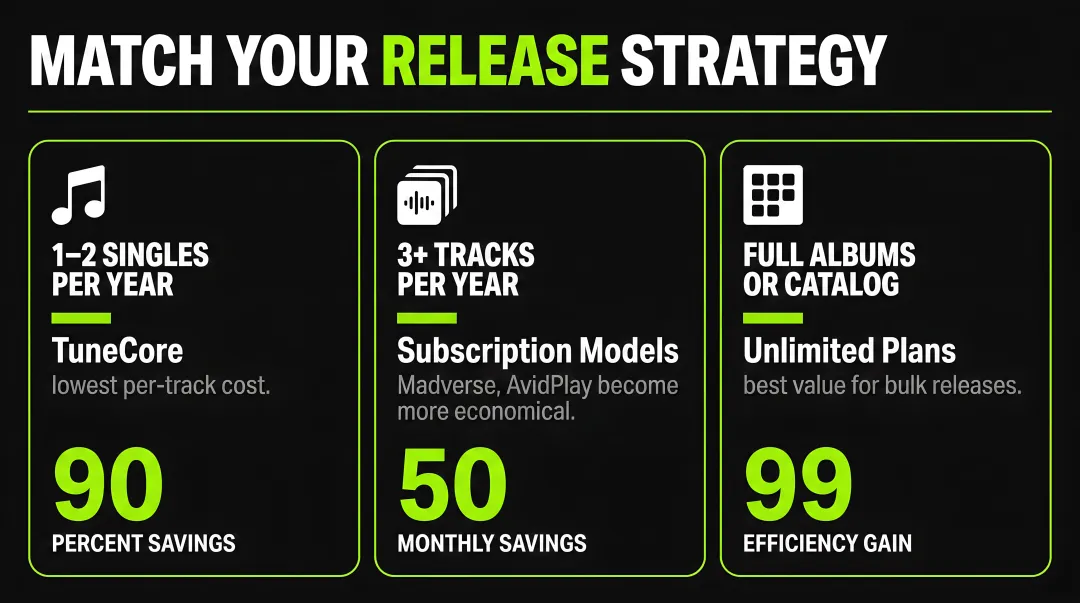
The cost analysis above reveals clear breakpoints for different artist scenarios. Match your distributor to your release frequency:
- 1-2 singles per year: TuneCore offers the lowest per-track cost
- 3+ tracks per year: Subscription models (Madverse, AvidPlay) become more economical
- Full albums or catalog releases: Unlimited plans provide the best value
Technical Requirements and Common Pitfalls
Creating Atmos content requires specific tools, but the barrier to entry has lowered significantly. Many independent artists successfully create spatial mixes using consumer-grade equipment and proper technique.
Minimum Technical Requirements
Essential tools:
- Compatible DAW (Logic Pro, Pro Tools Ultimate, Nuendo, Studio One 6, or Ableton Live with Music Panner)
- Dolby Atmos Renderer (free 90-day trial, then purchase required)
- Monitoring setup: Atmos speaker array (7.1.4) or quality headphones
- Understanding of spatial audio principles
Most Common Technical Mistakes
Watch for these four common mistakes:
Duration mismatch: The 50ms tolerance rule is strictly enforced. Render both stereo and Atmos masters from the exact same session timeline to avoid rejection.
Incorrect file format: Platforms only accept ADM BWF WAV files at 48kHz/24-bit. Exporting in any other format, sample rate, or bit depth will fail quality control.
Improper ISRC assignment: Your stereo and Atmos versions must share the same ISRC code. They're the same recording in different formats, not separate tracks.
Over-compression: Spatial audio relies on dynamic range to create immersive depth. Heavy compression that works in stereo often flattens the Atmos experience.
Misconceptions About Atmos Creation
"You need an expensive studio" — Not true. Many artists mix in headphones using binaural rendering. While a dedicated speaker array provides the most accurate monitoring, the Dolby Atmos Renderer's binaural mode delivers reliable results for headphone-based mixing.
"Automatic upmixing tools work fine" — Algorithmic conversion from stereo to Atmos is prohibited and will be rejected. Proper spatial mixing requires intentional placement of audio objects in 3D space.
"Atmos is just stereo with reverb" — This misunderstands the format entirely. Atmos uses object-based audio with positional metadata. Simply adding reverb to a stereo mix doesn't create true spatial audio.
Finding Learning Resources
Dolby provides official guides and documentation covering technical specifications and mixing principles. Start with simpler productions (vocals and minimal instrumentation) before attempting complex multi-layered tracks. The learning curve is real, but the format rewards thoughtful spatial design.
When Dolby Atmos May Not Be Worth It
Atmos isn't universally beneficial for every artist or release. Three scenarios warrant caution before investing in spatial audio distribution.
Budget and Catalog Considerations
If you're releasing 1-2 singles annually with a limited budget, per-track Atmos fees (₹1,250-₹2,000) may not deliver matching returns.
The format works best when you integrate it into a comprehensive release strategy with marketing budget, playlist pitching, and promotional campaigns. Atmos alone doesn't guarantee increased streams or revenue.
Genre and Artistic Intent
Some genres benefit more from spatial audio than others:
- Electronic music, cinematic pop, and orchestral arrangements leverage 3D space effectively
- Lo-fi productions and intentionally mono recordings may lose their artistic character
- Minimalist acoustic tracks can feel diluted in spatial formats
If your aesthetic relies on intimacy or intentional sonic constraints, Atmos might work against your vision.
Listener Accessibility Limitations
Compatible devices include recent iPhones, iPads, and MacBooks, but the majority of streaming listeners still use incompatible hardware.
Most playback happens on older phones, basic Bluetooth speakers, and car audio systems—all of which play your stereo version. Atmos becomes an enhancement for a subset of your audience rather than a universal experience.
ROI Reality Check
Streaming platforms don't pay premium rates for Atmos content. Apple Music includes spatial audio at no additional subscriber cost, meaning per-stream payouts remain identical.
The value comes from potential editorial placement, the "Dolby Atmos" badge attracting curious listeners, and enhanced listening experience driving replays. Weigh these soft benefits against hard costs before committing to the format for your entire catalog.
Conclusion
Dolby Atmos distribution is the process of creating and delivering immersive 3D audio to compatible streaming platforms, requiring specific technical knowledge, compatible software, and distributor support.
The format offers genuine marketing advantages through platform badges, curated playlists, and differentiated listening experiences, but it demands upfront investment in time, learning, and distribution costs.
Understanding the technical requirements—the rigid 50ms duration matching rule, ADM BWF format specifications, and proper spatial mixing principles—is essential before committing to Atmos releases. Distribution costs range from ₹1,250 to ₹2,000 per track or come included in annual subscriptions, making careful cost comparison critical for independent artists.
The decision comes down to strategy. Adopt Atmos thoughtfully based on your artistic vision, budget realities, and audience considerations rather than treating it as a mandatory checkbox for every release.
For artists with multiple annual releases, subscription models that include unlimited Atmos distribution offer the best value and creative freedom to experiment with the format.
Frequently Asked Questions
How much does Dolby Atmos distribution cost?
Costs vary by distributor from included in subscriptions to ₹2,000 per track. TuneCore charges ₹1,250/track, DistroKid charges ₹2,000/track, while Madverse includes unlimited Atmos distribution in their Star plan at ₹2,600/year with 95% royalty retention.
What equipment do I need to create Dolby Atmos music?
You need a compatible DAW (Logic Pro, Pro Tools Ultimate, Nuendo, or Studio One 6), the Dolby Atmos Renderer (free 90-day trial), and either dedicated Atmos speakers or quality headphones.
Which streaming platforms support Dolby Atmos music?
Apple Music, Tidal, and Amazon Music Unlimited support Dolby Atmos playback. Deezer's support is limited and hardware-dependent. Availability varies by subscription tier and listener device compatibility.
Do listeners need special equipment to hear Dolby Atmos?
Listeners need Atmos-compatible devices (iPhone XS+, recent iPads, Apple TV, Echo Studio) or compatible headphones. Regular headphones receive binaural downmixes, though compatible hardware delivers the full experience.
Is Dolby Atmos worth it for independent artists?
It depends on your budget, genre, and release strategy. Atmos offers marketing advantages and enhanced listening experiences but requires upfront investment without guaranteed stream increases.
Can I create Dolby Atmos mixes without an expensive studio?
Yes—many artists create quality Atmos mixes using compatible DAWs and headphones with binaural monitoring. Understanding spatial mixing principles is essential, but dedicated studios aren't required.